
Making a Personal Website
I’ve wanted to create a personal website for quite some time. I needed a place for visitors to see my work, interests, and skills, not just a sheet of paper to skim through.
Planning & Goals
Before diving into code, I established clear objectives:
- Create an immediately striking landing page that hooks viewers
- Implement a highly responsive design optimized for both mobile and desktop
- Develop a custom blog system with search, filtering, and sorting capabilities
- Ensure fast loading times leveraging Svelte’s pre-rendering features
For the landing page, the inspiration came from the new-ish trend of mesh gradients. I wanted to use a vibrant color palette and helps direct the user’s attention rather than misplace it, creating a clear informational hierarchy.
Technology Stack
I selected technologies that would deliver both performance and developer experience:
- SvelteKit: High-performance, component-based framework with excellent SSR
- Tailwind CSS: Utility-first styling without context switching
- MDsveX: Markdown processing with Svelte component integration
- Embla Carousel: Smooth, accessible image carousels
- Font Awesome: Consistent iconography
SvelteKit was the obvious choice given its file-based routing, excellent SSR capabilities, and rapid development cycle. It’s also the framework I’m most familiar with.
Key Implementation Details
Animated Gradient Background
The animated mesh gradient on the landing page creates a subtle lava lamp effect using coordinated CSS and JavaScript:
// define gradient colors
const gradientColors = ['#3a86ff', '#3a86ff', '#8338ec', '#8338ec', '#ff006e', '#fb5607'];

// define gradient particles with position and velocity
const gradients = gradientColors.map((color) => ({
	x: random(5, 95),
	y: random(5, 95),
	vx: (Math.random() - 0.5) * 0.2,
	vy: (Math.random() - 0.5) * 0.2,
	color
}));

// animation loop to update positions
const updateBackground = () => {
	gradients.forEach((grad) => {
		grad.x += grad.vx;
		grad.y += grad.vy;
		// boundary collision detection
		if (grad.x < 5 || grad.x > 95) {
			grad.vx *= -1;
			grad.x = Math.max(5, Math.min(grad.x, 95));
		}
		if (grad.y < 5 || grad.y > 95) {
			grad.vy *= -1;
			grad.y = Math.max(5, Math.min(grad.y, 95));
		}
	});

	// apply gradients to background
	const gradientStrings = gradients.map(
		(grad) => `radial-gradient(at ${grad.x}% ${grad.y}%, ${grad.color} 0px, transparent 50%)`
	);
	heroEl.style.backgroundImage = gradientStrings.join(', ');

	requestAnimationFrame(updateBackground);
};
This creates a captivating background with subtle movement that adds depth without being distracting.
Responsive Navigation System
The navigation adapts seamlessly between mobile and desktop experiences. On mobile, it transforms into a full-screen overlay with smooth animations:
<button on:click={toggleNavState} class="z-[100] flex justify-end lg:hidden" aria-label="Menu">
	<i class="fa-solid fa-bars"></i>
</button>

{#if showNav}
	<div
		in:fly={{ y: -20, duration: 300 }}
		out:fly={{ y: -20, duration: 300 }}
		class="fixed inset-0 z-50 flex items-center justify-center bg-[#202020]"
	>
		<nav class="space-y-8 text-center text-2xl font-medium">
			<!-- nav links -->
		</nav>
	</div>
{/if}
Desktop users see a traditional horizontal navigation with hover effects, while the transition between configurations happens automatically based on viewport size.
Blog System Architecture
MDsveX enables a powerful combination of Markdown simplicity with Svelte component flexibility. Each post lives as a separate Markdown file in /src/posts/ with structured frontmatter:
---
title: Example Post
summary: Short description of the post
date: 'March 3, 2025'
image: '/path/to/image.jpg'
categories: ['projects', 'web', 'programming']
---

Post content goes here...
A server endpoint processes these files, extracting metadata and content to power the blog listing, individual post pages, and search functionality.
Content Management Features
The blog includes comprehensive content management:
- Search: Full-text search across titles and content with term highlighting
- Filtering: Category-based filtering with shareable URLs
- Sorting: Multiple sort options (date, alphabetical, relevance)
All filtering states persist in URL parameters, making specific views bookmarkable and shareable.
Performance Optimizations
Performance was prioritized throughout development:
- Lazy-loaded images with intersection observer
- Page prerendering on link hover
- RequestAnimationFrame for smooth animations
- Efficient bundle splitting via SvelteKit
These optimizations, combined with Svelte’s compile-time optimizations, deliver excellent performance across the board.
Notable Challenges
Safari Theme Color Management
Safari’s theme-color transitions required custom scroll handlers to keep the color consistent across page sections.
SEO Implementation
I created a reusable metadata component to ensure consistent SEO across all pages:
<svelte:head>
	<title>{title}</title>
	<meta name="description" content={description} />
	<meta name="keywords" content={keywords} />
	<!-- Open Graph tags -->
	<meta property="og:type" content={type} />
	<meta property="og:url" content={fullUrl} />
	<meta property="og:title" content={title} />
	<meta property="og:description" content={description} />
	<meta property="og:image" content={imageUrl} />
</svelte:head>
This component handles both static and dynamic metadata generation throughout the site.
Deployment Strategy
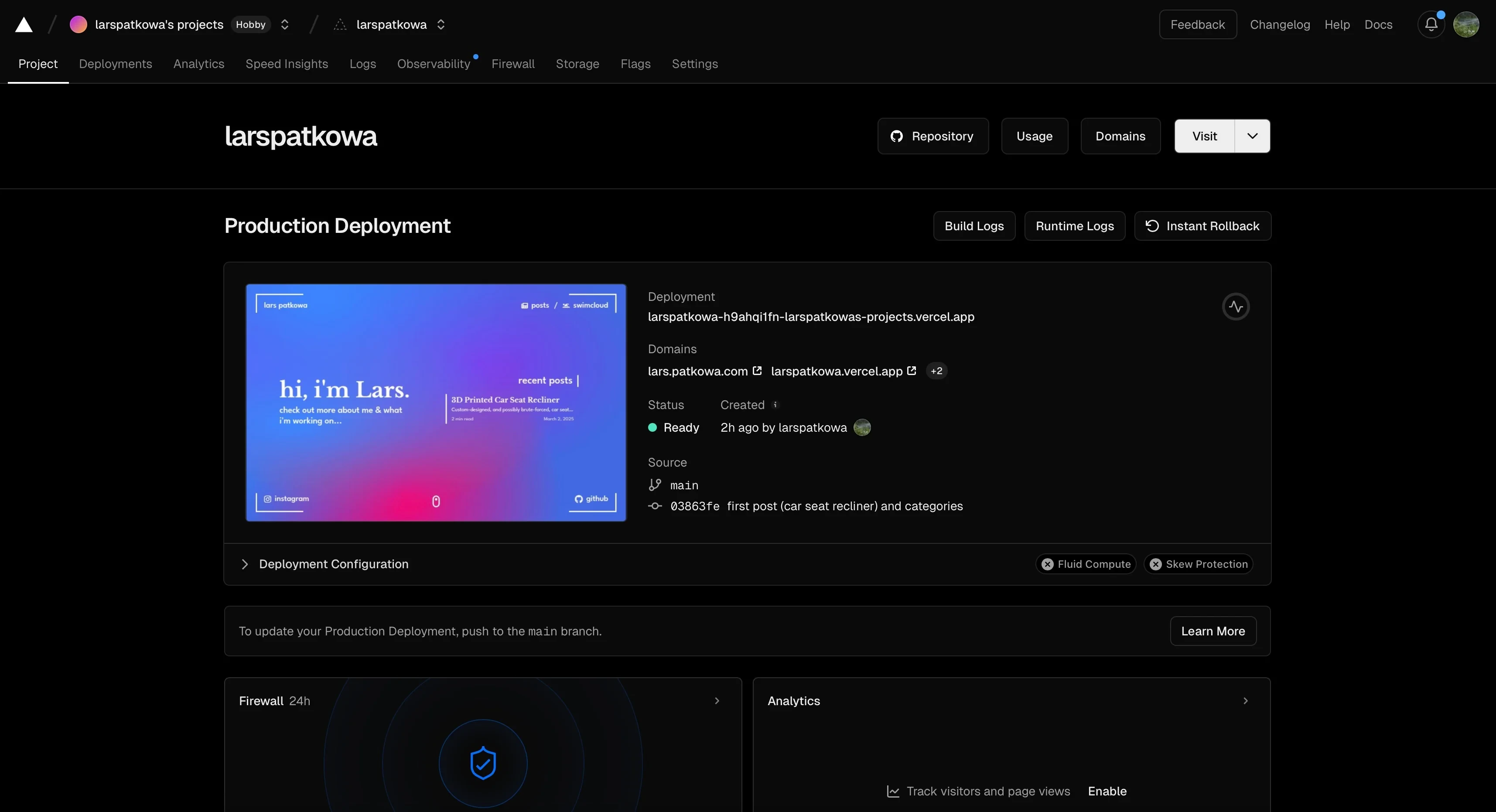
I chose Vercel for hosting due to its seamless GitHub integration and excellent SvelteKit support. Every git push triggers an automatic deployment to my custom domain lars.patkowa.com, ensuring the live site stays current with development.
Note: This version of the website is now hosted at old.lars.patkowa.com.
Reflection & Future Plans
This project reinforced my web development skills while revealing areas for growth. I now have a polished platform for showcasing projects and sharing insights. The development process was particularly rewarding—seeing months of planning and iteration culminate in a functional, beautiful website.
Planned enhancements:
- Light/dark mode toggle with system preference detection
- Interactive comment system for blog posts
- Analytics integration for visitor insights
- Automatic table of contents generation for longer posts
Building a personal website proved to be more than just a portfolio project—it became a comprehensive exercise in modern web development, user experience design, and content management.